
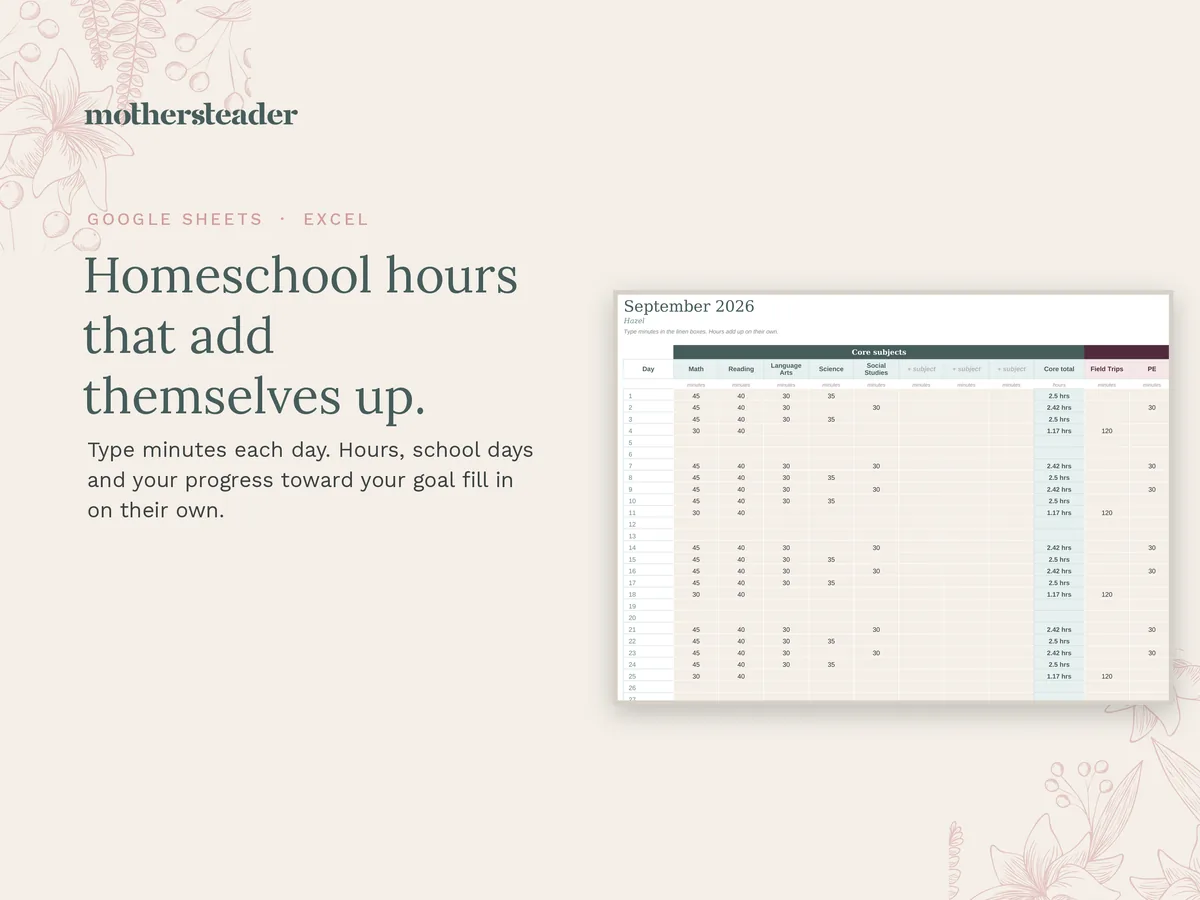
The Homeschool of One Hours Tracker
Type the minutes you spent on each subject, and the hours, school days and your progress toward your goal fill in on their own. One tab for each month, August to July, a Year tab and a Start Here tab. Works in Google Sheets or Excel.
One payment. Nothing renews. Your files arrive by email a few minutes after checkout.
- Google Sheets workbook (your own copy, free Google account)
- The same workbook as an Excel file
- A 2-page Start Here PDF with your copy link
How it works
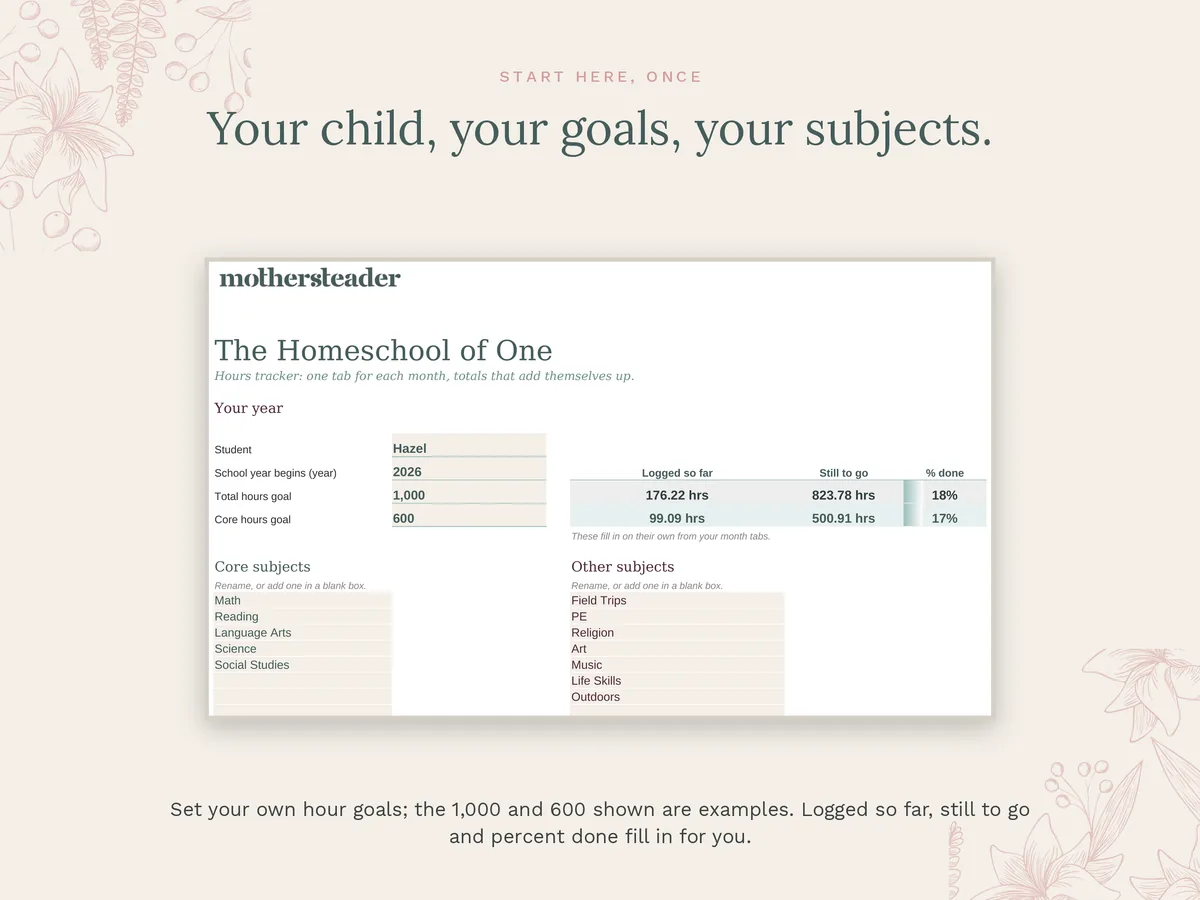
Start Here
Type your child's name, the year your school year begins, and your total and core hours goals. Name your subjects once.
One tab a month
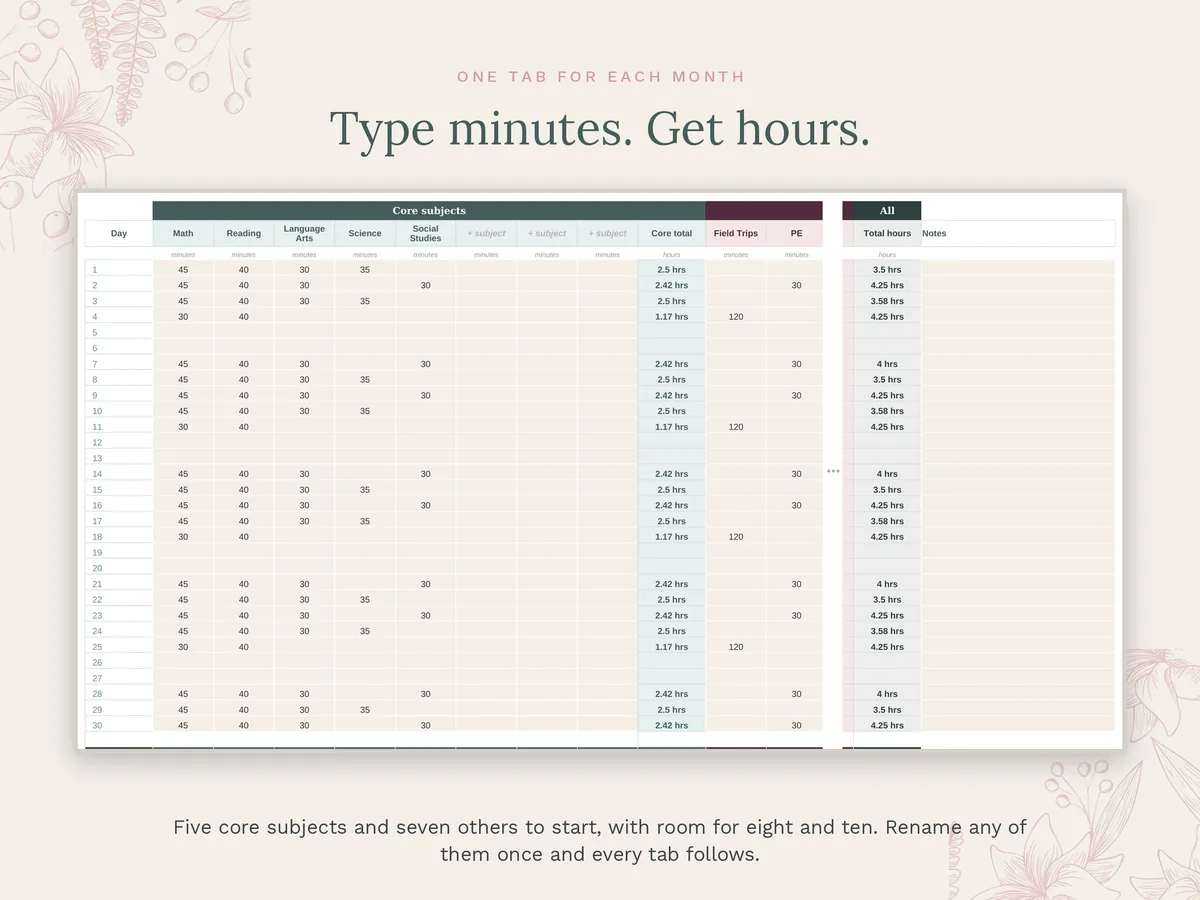
August to July, with the right number of days in each month and leap years handled for you. Type minutes in the linen boxes.
Hours add up
Every day and every month totals core hours, other hours and total hours, and counts your school days.
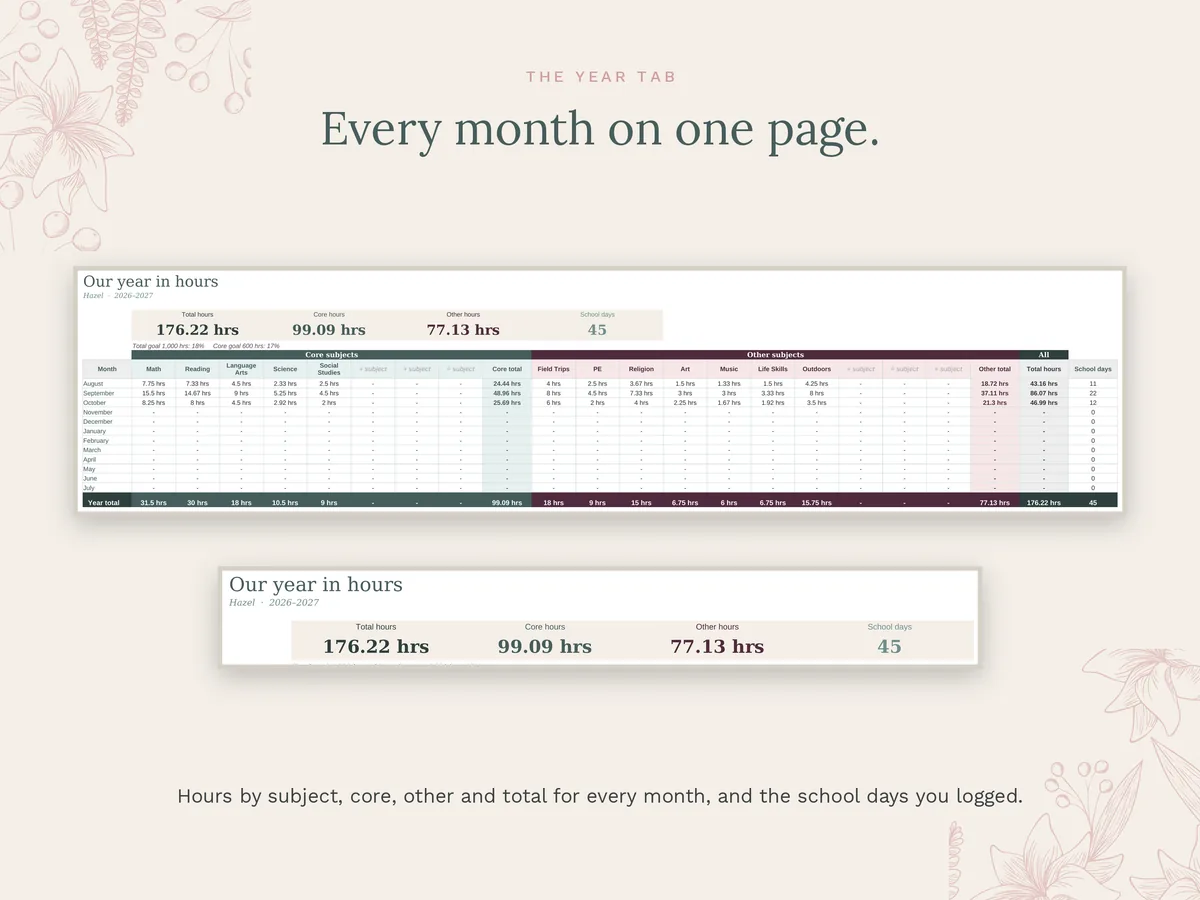
The Year tab
Every month rolls into one page, by subject, so you always know where you stand.
Your progress
Start Here shows hours logged, hours still to go and the percent done for both goals.
Your subjects
Five core subjects and seven others to start, with room for eight core and ten other subjects. Rename any of them once and every tab follows.
How you get it
- Buy it once.Nothing renews. Refunds within 7 days.
- Check your email.Within a few minutes you get a two-page Start Here PDF and the workbook as an Excel file.
- Copy it into Google Sheets.Tap the link or scan the code in Start Here, sign in to Google and choose Make a copy. Or open the Excel file directly.
- Log minutes each day.Ten minutes to set up, then a minute a day. The planner pairs with it, and the two come together as a set.
A note on records
The 1,000 and 600 hour goals are only examples. Homeschool laws differ by state, and some states ask for days, some for hours and some for neither. Check your own state's rules, then type your own numbers. This tracker is a record, not legal advice.
Questions
Do I need Excel?
No. It works in Google Sheets, free with any Google account. The Excel file comes too if you prefer it.
Is anything locked?
No. If a formula gets typed over, make a fresh copy from your link and paste your minutes back in.
Is it for one child?
Yes, one student per workbook. For a second child, make a second copy from the same link.
How was it made?
We designed it, chose what goes on it and checked every formula against an independent calculation before listing. We used AI tools to help build the spreadsheet formulas.
What if something is wrong with it?
Write to [email protected] within 7 days and we will fix it or refund you. The refund policy has the details.